

Top 5 Thin Client Business Desktops in Canada for 2026
Published on Friday, January 23, 2026
Thin Client Business Desktops are designed for virtual environments where centralized server management is essential. They deliver essential applications efficiently while reducing hardware costs, simplifying IT support, and strengthening security. In Canada, adoption is driven by public sector and healthcare modernization, growth in hybrid and remote work, and a focus on lower total cost of ownership and energy efficiency. Businesses and institutions prefer thin clients because they are compact, easier to deploy at scale, compatible with major virtualization platforms like VMware, Citrix, and Microsoft Azure Virtual Desktop, and often require less frequent hardware refreshes. Buyers also value local warranty support, compliance with Canadian privacy and security expectations, and models that balance connectivity and performance with energy-conscious operation.
Top Picks Summary
HP t640 Thin Client
The HP t640 Thin Client is a high-performance business desktop engineered for multi-monitor VDI and graphics-capable remote sessions, positioning it as the premium choice in this list. Compared with the other models, it emphasizes stronger connectivity and manageability—trading a higher upfront cost for longer-term performance and reduced refresh cycles versus entry-level options like the HP t430 or Dell Wyse 3040.

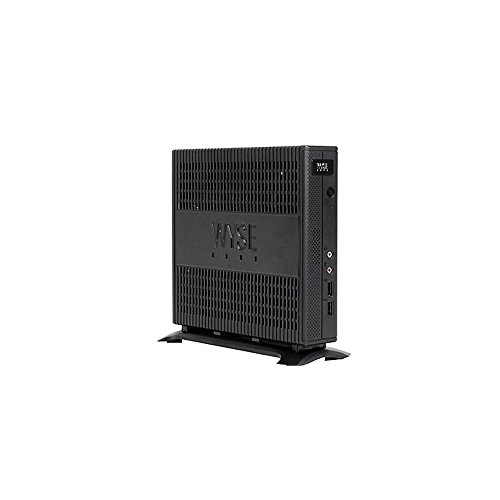
Dell Wyse 5070 thin client
The Dell Wyse 5070 Thin Client balances modularity and enterprise-grade management, making it a market leader for mid-to-large deployments that require flexible I/O and upgrade paths. It undercuts the highest-end units on price while offering more scalability than compact contenders such as the Lenovo M75n, delivering a strong cost-to-feature ratio for centralized IT teams.
Lenovo ThinkCentre M75n Thin Client
The Lenovo ThinkCentre M75n Thin Client is an ultra-compact, energy-efficient business desktop that excels where a small footprint and low power consumption matter, making it a practical alternative to bulkier models. Versus the other products, it offers competitive total cost of ownership for dense office or digital signage deployments while sacrificing some expandability and advanced connectivity found in the HP t640 and Dell Wyse 5070.
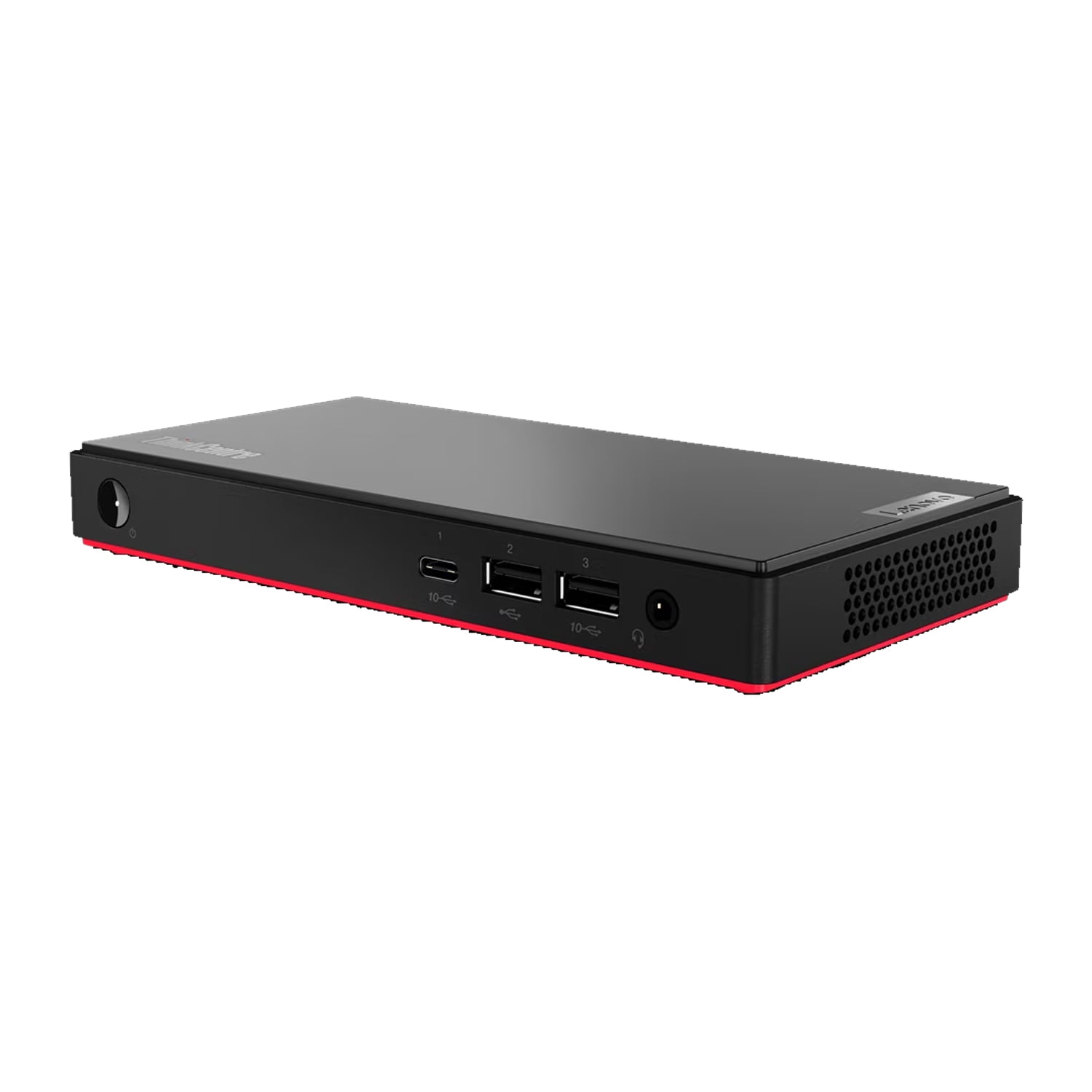
Where to buy Lenovo ThinkCentre M75n Thin Client in Canada: the trusted retailers we track in this market, with the best price we have observed at each. Prices are checked regularly and can change, and the retailer confirms the final price at checkout.
We may earn a commission on purchases. It never affects our rankings.
$300 – $450
HP t430 Thin Client
The HP t430 Thin Client is an entry-level, budget-focused desktop optimized for basic VDI sessions and kiosk-type roles, providing the lowest cost per unit in this lineup. It is less capable than the t640 and Wyse 5070 in graphics and peripheral support but delivers simple deployment and energy savings for organizations prioritizing low upfront spend.
Where to buy HP t430 Thin Client in Canada: the trusted retailers we track in this market, with the best price we have observed at each. Prices are checked regularly and can change, and the retailer confirms the final price at checkout.
We may earn a commission on purchases. It never affects our rankings.
$150 – $250
Dell Wyse 3040 Thin Client
The Dell Wyse 3040 Thin Client is a compact, legacy-oriented model targeted at extremely price-sensitive deployments and light-use scenarios. While it lacks the performance headroom and modern I/O of the Wyse 5070 or HP t640, its very low acquisition and operating costs make it a practical choice for basic remote desktop and single-application stations.

What research says about thin clients and their benefits
Industry analysts and energy programs have evaluated thin client deployments and consistently highlight benefits relevant to IT managers and procurement teams. Research and sector reports emphasize lower operational costs, reduced power consumption, simplified endpoint management, and improved regulatory control when workloads are centralized. These findings are particularly relevant for Canadian organizations seeking predictable budgets, secure remote access, and greener IT operations.
Energy efficiency: Studies and government energy guidance note that thin clients typically consume far less power than traditional desktops, lowering utility costs and reducing data center and endpoint cooling needs.
Lower total cost of ownership: Analyst reports and lifecycle assessments find that reduced hardware complexity, longer refresh cycles, and centralized maintenance cut overall support and replacement expenses.
Improved security and compliance: Centralized data storage and session control reduce the risk of data loss on endpoints and simplify enforcement of security policies, which supports regulatory compliance efforts.
Faster provisioning and simpler management: Centralized management consoles and unified endpoint management tools accelerate deployments and reduce help desk workload.
Environmental benefits: Fewer components and longer device lifespans contribute to lower electronic waste and align with institutional sustainability goals.
Frequently Asked Questions
Which thin client should I buy for multi-monitor VDI?
Choose the HP t640 Thin Client: it’s engineered for multi-monitor VDI and graphics-capable remote sessions, supports up to four 4K displays, and has a 4.6 rating.
Does the Dell Wyse 5070 Thin Client support flexible expansion?
Yes—Dell Wyse 5070 Thin Client has a modular chassis with flexible I/O and multiple expansion options, configurable with higher-end Intel CPUs, and supports VDI via Wyse ThinOS or Windows IoT.
Is the Dell Wyse 5070 Thin Client cheaper than HP t640?
Yes: Dell Wyse 5070 Thin Client is $189.99 CADversus HP t640 Thin Client at $189.99 CADwhile both target VDI deployments and centralized enterprise management.
Which thin client has the TPM enterprise security?
HP t640 Thin Client includes TPM (plus BIOS protections and optional Smart Card support), and Lenovo ThinkCentre M75n Thin Client also lists TPM and enterprise-grade security.
Conclusion
This selection highlights five top options for Canadian organizations in 2026: the HP t640 Thin Client, Dell Wyse 5070 Thin Client, Lenovo ThinkCentre M75n Thin Client, HP t430 Thin Client, and Dell Wyse 3040 Thin Client. Each model targets different needs—performance and connectivity, ultra-compact form factors, or budget friendly endpoints—but the HP t640 Thin Client stands out as the best overall choice for 2026 thanks to its strong balance of performance, connectivity options, and enterprise manageability. We hope you found what you were looking for; you can refine or expand your search using the search to focus on features like low power usage, specific virtualization platforms, or warranty and support options.