

Top 5 External Hard Drives for Mac in Canada, 2026
External hard drives designed specifically for Mac users ensure compatibility and optimized performance, offering seamless file transfers and backups tailored for macOS systems. As digital content continues to grow, Mac users have shown a clear preference for external storage solutions that integrate smoothly with their Apple devices. The market in Canada is filled with various options catering to these needs, combining reliability, speed, and stylish designs that complement the Mac aesthetic. With an increasing number of creators, professionals, and everyday users relying on external hard drives, investing in the right one can boost productivity and safeguard important data.
Inception's AI took the time to understand this market in Canada · · How we pickWe may earn a commission on purchases. It never affects our rankings.
Top Picks Summary
The Seagate Backup Plus Slim 2TB is an ultra-portable external hard drive that combines capacity with convenience. Weighing less than a smartphone, it offers an impressive amount of storage and allows users to back up their files effortlessly using the accompanying Backup Plus software. With USB 3.0 connectivity, it provides fast transfer speeds, ensuring that even large files can be moved quickly. Its minimalist design and multiple color options also make it a stylish accessory for any tech-savvy individual.
Show More Portable External Hard Drives for Mac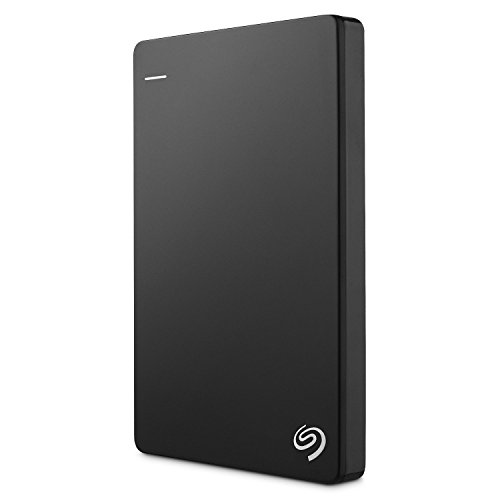
We may earn a commission on purchases. It never affects our rankings.
$119.99CAD$129.99
The SanDisk Extreme Pro Portable SSD V2 2TB is designed for professionals who demand high performance in storage solutions. This SSD offers incredible transfer speeds of up to 2,000 MB/s, utilizing NVMe technology to expedite workflows and enhance productivity. Its durable, lightweight design includes IP55-rated water and dust resistance, ensuring reliability in various environments. With built-in password protection and encryption, it also secures your data against unauthorized access.
Show More USB-C External Hard Drives for Mac
Estimated$300 – $400
The OWC Envoy Pro EX Thunderbolt 3 4TB SSD is renowned for its high performance and sleek design, delivering fast data transfers with speeds up to 2800MB/s. It is compatible with various platforms, making it versatile for users across different devices. With its rugged case, it remains a reliable option for creatives and professionals who need exceptional durability. OWC is known for its innovative solutions in storage, making this SSD a top choice in the market.
Show More Thunderbolt External Hard Drives for Mac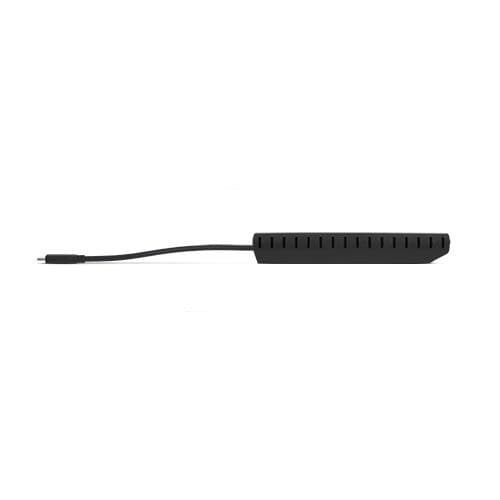
Estimated$500 – $600
The Samsung T7 Shield Portable SSD stands out with its rugged design and superior speed, offering transfer rates of up to 1,050 MB/s. It features IP65 water and dust resistance, making it an ideal choice for adventurous users who need reliable storage on-the-go. Additionally, its compact and lightweight form factor ensures portability without sacrificing performance. With AES 256-bit hardware encryption, it provides an extra layer of security for your valuable data.
Show More SSD External Hard Drives for Mac
Estimated$160 – $250
The WD My Passport Ultra 2TB exemplifies reliability and performance in portable storage devices. It offers automatic backup software to keep your important files secure and up to date, complemented by hardware encryption for sensitive information. With a sleek design and convenient size, it fits comfortably into any bag or pocket. It's a great choice for users looking for a balance between capacity and mobility.
Show More Encrypted External Hard Drives for Mac
The best external hard drives for Mac offer native macOS support, high-speed data transfers, and designs that complement Apple products, providing a cohesive user experience.
Understanding External Hard Drives for Mac Users
External hard drives for Mac offer unique benefits that cater specifically to macOS users, ensuring they have the tools necessary for optimal performance.
Compatibility: External hard drives that are designed for Mac provide seamless integration, ensuring that users can easily connect without extensive formatting or configuration.
Speed: Many external drives for Mac leverage USB-C or Thunderbolt 3 technology, which allows for significantly faster data transfer rates compared to traditional USB drives.
Backup Solutions: macOS includes Time Machine, a built-in backup software that works perfectly with external hard drives, allowing users to automate their data backup process effortlessly.
Portability: The slim and lightweight designs of many external drives make them easy to carry along with your Mac, catering to professionals and creatives on the go.
Multimedia Storage: With the growing trend of high-resolution content creation, dedicated drives for Mac often provide ample storage space, ensuring that users can keep all their applications and data in one place.
Design Aesthetics: Many external hard drives are crafted with a design that complements the sleek look of Mac devices, making them not only functional but also visually appealing.
Frequently Asked Questions
Which SSD should I choose for Mac backups?
Choose the LaCie Rugged SSD Pro Thunderbolt 3 2TB if you want rugged protection and fastest transfers; it’s rated 4.7 and offers Thunderbolt 3 speeds up to 2800MB/s with IP67 dust and water resistance.
Does the Crucial X8 2TB hit 1050MB/s speeds?
Yes—the Crucial X8 2TB has read speeds up to 1,050 MB/s, with a sleek metal design, portable form for backups and files, and it’s rated 4.6 overall.
Is the WD My Passport SSD cheaper than Crucial X8?
Yes: WD My Passport SSD (2020) is CAD 204.99, while Crucial X8 2TB is CAD 166.15, so you pay CAD 38.84 more for WD, with WD rated 4.5.
Is the LaCie Rugged SSD Pro Thunderbolt 3 waterproof?
It’s IP67 dust and water-resistant; the LaCie Rugged SSD Pro Thunderbolt 3 2TB is rated 4.7 and uses Thunderbolt 3 connectivity for speeds up to 2800MB/s.
Conclusion
In conclusion, choosing the right external hard drive for your Mac can enhance your workflow and protect your precious files. As you explore Canada's diverse offerings, we hope you found the information you were looking for. For anything more specific, feel free to use the search bar on our site anytime.