

Top 10 Motherboards in Canada for 2026: Best Picks for Compatibility and Upgrades
The motherboard connects all components of your computer, ensuring communication between the CPU, RAM, and peripherals. Selecting the right motherboard is crucial for compatibility and future upgrades. In Canada, shoppers prioritize a balance of performance, value, and long-term compatibility, driven by rising interest in DDR5 memory, PCIe 5.0 storage and GPUs, and improved power delivery for high-core-count processors. Whether you are building a compact mini ITX system for urban living, a high-performance gaming rig, or a workstation for content creation, the ideal motherboard must match your chosen CPU socket and offer the expansion, connectivity, and thermal design you need. Canadian buyers also weigh factors such as local availability, warranty support from retailers and manufacturers, energy efficiency, and component longevity due to varying climate conditions and longer upgrade cycles.
Inception's AI took the time to understand this market in Canada · · How we pickWe may earn a commission on purchases. It never affects our rankings.
Top Picks Summary
The ASRock Z790 PG Velocita delivers impressive performance at a competitive price, making it a great option for gamers on a budget. It stands out with its stylish design and effective cooling solutions that keep temperatures low during heavy usage. The motherboard includes an efficient VRM design and a variety of connectivity options, helping to enhance user experience. Additionally, its user-friendly BIOS interface allows for simple overclocking and adjustment of settings.
Show More ATX Motherboards
The ASUS TUF Gaming B550M-PLUS (Wi-Fi) stands out with its robust durability and military-grade components that provide stability and performance. It features Wi-Fi 5 support, ensuring a smooth online gaming experience, while its advanced cooling solutions keep your system running efficiently. The unique TUF Gaming aesthetic combines functionality with style, making it ideal for gamers. With its user-friendly BIOS and extensive connectivity options, this motherboard is designed to meet the demands of both casual and competitive gamers.
Show More MicroATX Motherboards
Estimated$150 – $200
The Gigabyte Z790I AORUS Ultra is engineered for the discerning gamer who demands maximum performance without compromising on space. It features an advanced thermal design with multiple heatsinks and heat pipes that keep critical components cool during intense gaming sessions. The motherboard is also packed with high-end features like WiFi 6E, PCIe 5.0 support, and an integrated I/O shield for ease of installation. Its RGB Fusion technology allows for personalized lighting effects, making it a top choice for build customization.
Show More Mini-ITX Motherboards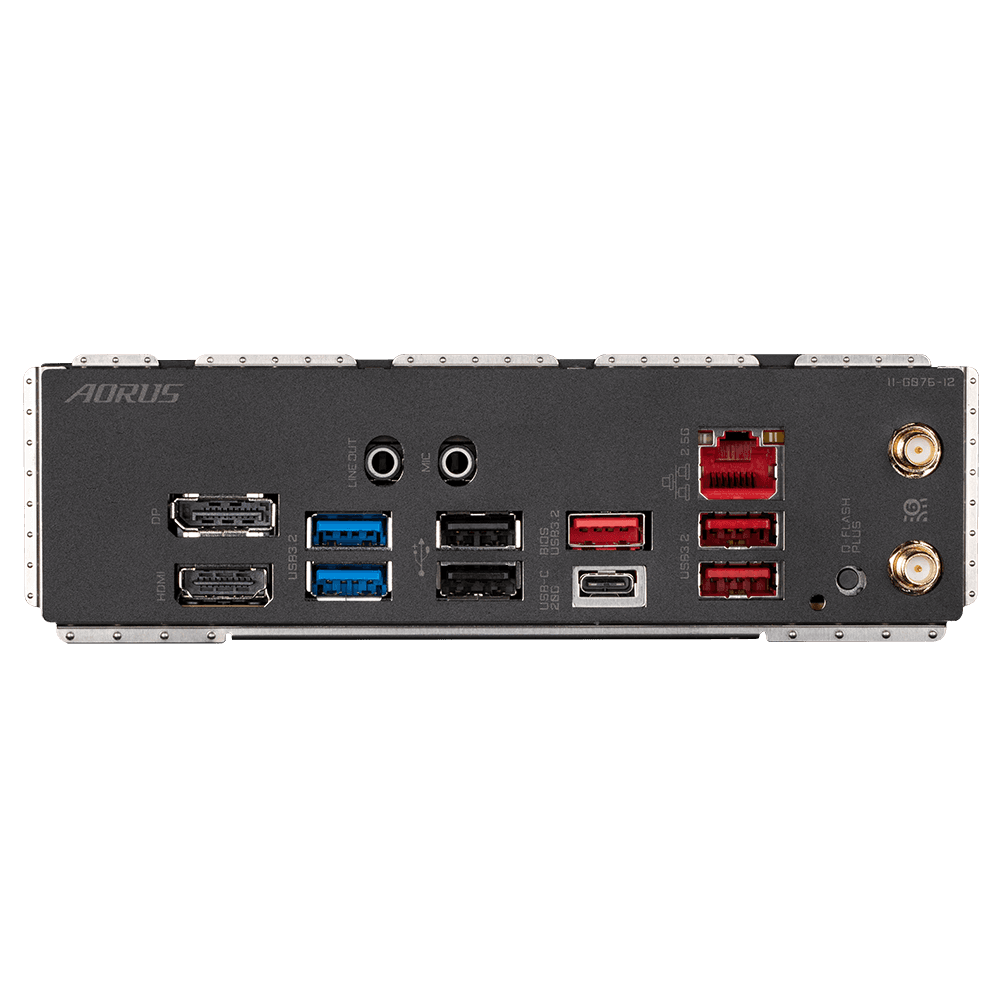
Estimated$350 – $450
The MSI MEG Z790 GODLIKE is engineered for those who seek both performance and innovation, boasting a wealth of cutting-edge features. Its design includes a high-bandwidth PCIe 5.0 interface and multiple M.2 slots for lightning-fast storage options. With the unique MSI Core Boost technology, it delivers superior power and thermal performance for even the most demanding systems. Combining extraordinary performance with a sleek aesthetic, the MEG Z790 GODLIKE is an outstanding choice for high-end gamers and PC builders.
Show More E-ATX Motherboards
Estimated$700 – $800
The HP Z8 G4 Workstation is built for the most demanding users, offering top-of-the-line performance for tasks like high-end content creation and complex simulations. It supports dual Intel Xeon processors and features expansive memory capacity. The workstation's exceptional expandability ensures users can upgrade and customize it based on their needs. Moreover, HP's reliability and support make it a favored choice for professionals across industries.
Show More Gaming Motherboards
Estimated$3,500 – $4,000
The ASRock Z790 Taichi motherboard distinguishes itself with its unique design and high-quality components, making it an excellent choice for builders seeking reliability. Its advanced power delivery system and extensive connectivity options stand out in the competitive market. With features like Polychrome SYNC RGB lighting and robust thermal solutions, it offers both aesthetics and performance. The user-friendly BIOS also adds to its appeal, ensuring effective customization.
Show More Workstation Motherboards
Estimated$400 – $500
The MSI PRO Z690-A DDR4 motherboard combines robustness with versatility, designed for Intel's 12th generation processors. This motherboard offers excellent performance for both gaming and professional workloads with advanced thermal solutions and enhanced memory support. It includes various connectivity options, ensuring that users can maximize their productivity with ease. Its user-friendly features make it ideal for creators and tech enthusiasts alike.
Show More Overclocking Motherboards
Estimated$200 – $300
The ASRock Rack EPYCD8-2T is designed for high-performance workloads, offering support for AMD EPYC processors which provide exceptional multi-threading capabilities. This server motherboard incorporates impressive connectivity options, including dual 10G Ethernet, ensuring speedy network operations. Its advanced thermal design allows for efficient heat management, making it a reliable choice for demanding server environments. With robust expandability options, the EPYCD8-2T stands out in the market for its reliability and performance at a competitive price.
Show More Server Motherboards
Estimated$800 – $1,000
The Raspberry Pi 5 is the market leader for SoC embedded boards thanks to its exceptionally broad software ecosystem, GPIO compatibility, and balanced performance-to-cost ratio, making it the go-to choice for learning, prototyping, and many production use cases. Compared with specialist boards like the NVIDIA Jetson Orin Nano (stronger in AI) or Orange Pi 5 (higher raw CPU value), the Pi 5 offers the best combination of community support, predictable long-term availability, and low total cost of deployment for general embedded projects.
Show More Industrial Motherboards
Estimated$90 – $130
The ASUS ROG Rampage VI Extreme Encore is engineered for hardcore gamers and overclocking enthusiasts who demand the best from their systems. It boasts a powerful design with comprehensive cooling solutions and advanced power delivery that ensures stable operation under extreme conditions. This motherboard supports high-speed memory and multiple GPU setups, making it perfect for building a high-performance machine. With its stylish aesthetics and serious gaming features, it stands out as a premier choice for gamers.
Show More Embedded Motherboards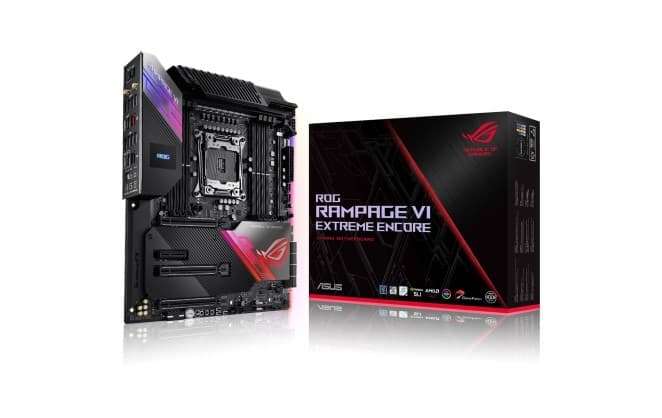
Why Motherboard Choice Matters: Research-Backed Benefits
Engineering and reliability research supports the practical benefits of choosing a well-designed motherboard. Studies and technical literature in electrical and computer engineering highlight how power delivery, signal integrity, and thermal management directly affect system stability, performance under load, and component lifespan. For everyday builders and first-time buyers, these technical advantages translate into fewer compatibility problems, more reliable performance during intensive tasks, and a clearer upgrade path that protects your investment.
Power delivery and VRM quality affect CPU stability and the ability to sustain high clock speeds during heavy workloads.
Trace layout and signal integrity are important for high-speed interfaces like DDR5 and PCIe 5.0 to reduce errors and maximize throughput.
Thermal solutions and board component placement influence temperature control, which improves performance consistency and extends component life.
Firmware and BIOS features, including frequent updates and robust recovery tools, aid compatibility with new CPUs and memory modules over time.
Certifications and compliance testing for electromagnetic interference and safety add reliability, especially in regions with varied electrical environments like Canada.
Conclusion
We hope this guide helped you understand the key motherboard features and find a model that fits your needs in Canada. If you want to narrow results by socket, form factor, price, or specific features like Wi-Fi 6E or multiple M.2 slots, use the search to refine or expand your options. Good luck with your build and future upgrades.