

Top 5 VR-Ready Gaming Laptops in Canada for 2026
VR-ready gaming laptops are built with the processing power, graphics performance, cooling and connectivity required to run modern virtual reality headsets smoothly. In Canada, demand for VR-capable laptops has grown as more players adopt tethered and wireless PC-VR systems for gaming, simulation, creative work and training. Canadian buyers tend to prioritize a strong GPU (NVIDIA GeForce RTX 40-series and newer or AMD equivalent), a multi-core CPU, efficient thermals, low-latency display outputs (DisplayPort/HDMI via USB-C), and plenty of RAM and fast NVMe storage. Other deciding factors in the Canadian market include portability for LAN and travel, battery life for mixed-use, warranty and after-sales support available locally, retailer availability across provinces, and price with duties and shipping considered. The best VR-ready laptops balance sustained frame rates and thermals with the practical needs of Canadian users: quiet operation, reliable local service, and the right port selection for both tethered headsets and high-bandwidth wireless adapters.
Inception's AI took the time to understand this market in Canada · · How we pickWe may earn a commission on purchases. It never affects our rankings.
Top Picks Summary
ASUS ROG Strix G16
The ASUS ROG Strix G16 balances high-frame-rate VR performance with competitive pricing, making it a best-in-class pick for gamers who want desktop-class GPUs and responsive CPU performance in a reasonably portable chassis. Compared with the pricier Razer Blade 16 and the heavyweight MSI Titan, the Strix G16 delivers comparable VR-ready GPU/CPU combos and efficient cooling at a lower cost, trading a bit of premium finish for superior price-to-performance for VR setups.

Razer Blade 16
The Razer Blade 16 leads the market for premium build quality and compact power, packing top-tier VR-ready GPUs into a thin, CNC-milled aluminum chassis with color-accurate displays and refined thermals. While it commands a higher price than ASUS and Lenovo alternatives, its sleek portability, premium materials and tight thermal tuning make it the market leader for users prioritizing design, mobility and high-FPS VR on the go rather than absolute desktop-level horsepower.

Estimated$3,500 – $4,800
MSI Titan GT77 HX
The MSI Titan GT77 HX is the raw-performance flagship, offering desktop-class CPUs, aggressive cooling and upgradeability that appeal to VR developers and enthusiasts who need maximum sustained frame rates and extensibility. It outmatches Razer and Lenovo on benchmark headroom and multi-threaded workloads, but its heavier chassis and premium price reflect a trade-off in portability and overall value compared with the ASUS ROG Strix G16.

Alienware m18 R2
The Alienware m18 R2 targets immersive VR and high-resolution play with an 18-inch panel and thermal design tuned for sustained frame delivery, positioning it as the market leader for large-screen VR experiences and simulation rigs. It brings Dell's enterprise-style support and broad customization options, sitting between the MSI Titan's brute force and the Razer Blade's portability—costlier than midrange models but offering scale and service attractive to serious VR users.
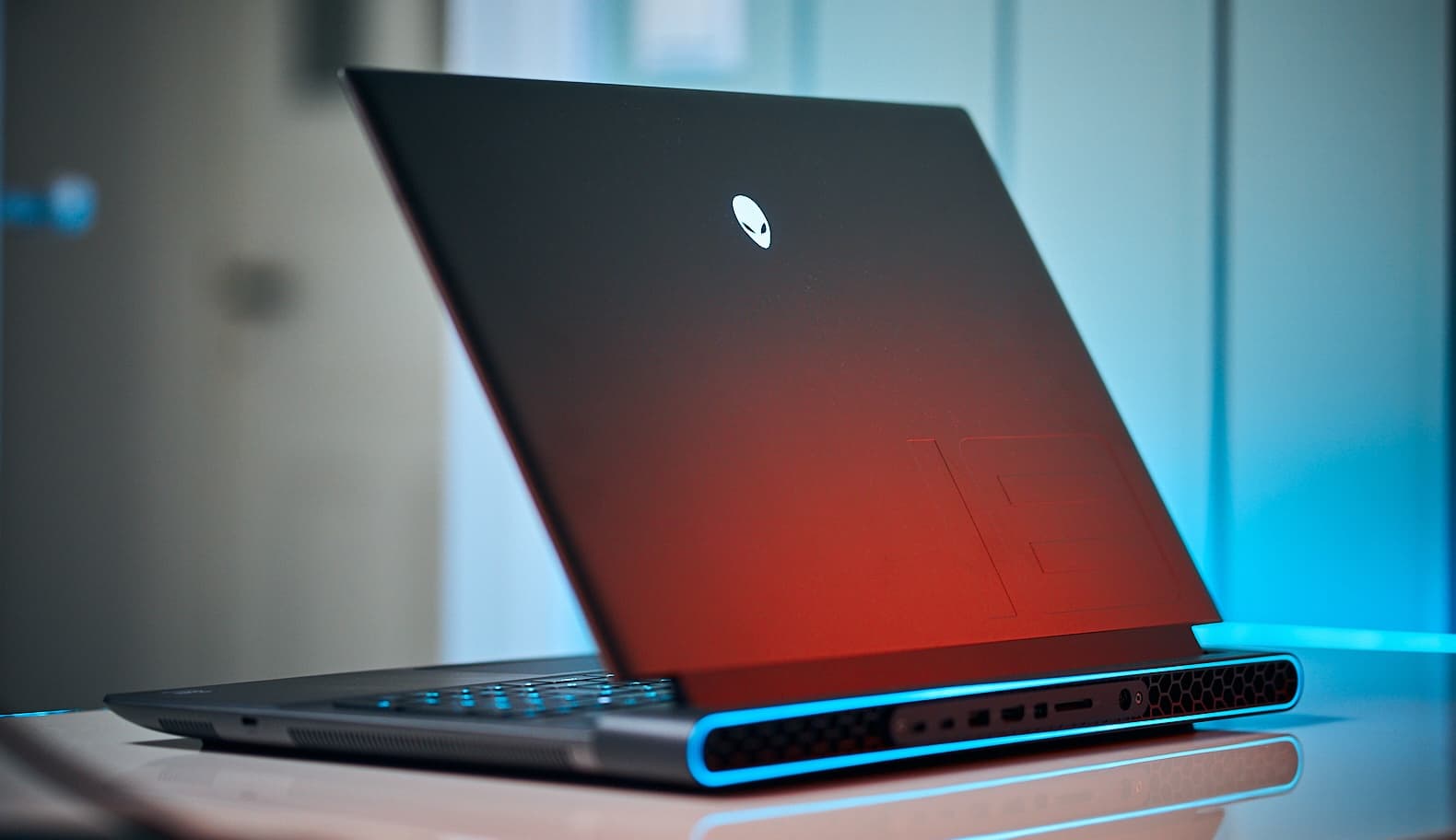
Estimated$3,200 – $5,500
Lenovo Legion Pro 7i Gen 9
The Lenovo Legion Pro 7i Gen 9 offers a pragmatic blend of VR-ready performance, disciplined thermals and competitive pricing that makes it an excellent value for gamers wanting reliable VR performance without the highest sticker shock. Compared to the ROG and Razer it often undercuts on price while matching core VR specifications, and relative to the MSI Titan it sacrifices some top-end headroom for improved battery life, firmware polish and a lower total cost of ownership.

Estimated$2,400 – $3,800
What research says about VR performance and user comfort
Scientific and industry research shows that hardware performance and display characteristics have direct effects on immersion, motion sickness, and task performance in VR. For comfortable, convincing VR experiences, consoles and PCs need to maintain high frame rates and low latency while providing accurate tracking and clear audio. Studies in human factors and VR engineering emphasize the importance of consistent frame timing, higher refresh rates, and ergonomic design to reduce simulator sickness and improve presence and learning outcomes.
Frame rate and latency: Research reported in VR and human-computer interaction conferences (for example IEEE and ACM venues) indicates that higher, stable frame rates and low end-to-end latency reduce motion sickness and increase presence. For most tethered PC-VR headsets, maintaining 90 frames per second or higher (combined with asynchronous reprojection techniques) is a common target.
Display fidelity: Higher pixel density and better color contrast improve spatial awareness and object recognition in VR. Studies show clearer visual input supports better performance in training and simulation tasks.
Thermals and sustained performance: Thermal throttling that reduces GPU or CPU clocks can cause dropped frames and stutter, which are linked to user discomfort. Engineering research highlights the need for effective cooling solutions to sustain VR workloads.
Tracking and I/O reliability: Low-latency tracking and reliable wired or wireless links (stable USB-C/DisplayPort or optimized Wi-Fi for wireless adapters) lead to more consistent interaction and fewer tracking losses, improving user confidence in VR applications.
Ergonomics and audio: Human factors research stresses headset comfort, balanced weight distribution and quality spatial audio as contributors to longer, more comfortable VR sessions and better immersion.
Frequently Asked Questions
Which laptop should I buy for VR gaming in Canada?
Choose the ASUS ROG Strix G16 if you want desktop-class VR performance in a reasonably portable chassis, with up to NVIDIA RTX 40-series GPUs, a 4.4 average rating, and a listing price of CAD 1,800.
Does Razer Blade 16 support VR connectivity with ports?
Yes—the Razer Blade 16 includes Thunderbolt/USB-C ports for headset connectivity, has a 4.5 average rating, offers 16-inch Mini-LED or OLED display options with high refresh and low latency, and is listed at CAD 5,699.99.
Is MSI Titan GT77 HX good value versus Razer Blade 16?
Not for value: the MSI Titan GT77 HX costs CAD 8,430.86 versus the Razer Blade 16 at CAD 5,699.99, but MSI targets maximum sustained VR performance with desktop-class CPUs and top-tier NVIDIA RTX 40-series GPUs (both rated 4.6 and 4.5 respectively).
Which laptop is best if I need upgradeability for VR?
The MSI Titan GT77 HX is the upgradeability pick, featuring extensive cooling and upgradeable components for long VR sessions, with a 4.4 average rating and a CAD 8,430.86 listing price.
Conclusion
In Canada, a VR-ready laptop should give you the performance headroom to run today's PC-VR titles and the flexibility to adapt to new headsets and wireless adapters. The five laptops featured here offer different strengths: ASUS ROG Strix G16 for value-focused high performance, Razer Blade 16 for a balanced blend of power and premium build, MSI Titan GT77 HX for uncompromising raw performance, Alienware m18 R2 for large-screen immersive play, and Lenovo Legion Pro 7i Gen 9 for solid price-to-performance and reliability. For most Canadian buyers looking for the best balance between portability, thermals and long-term VR capability, the Razer Blade 16 is the top choice on this list. We hope you found the information you were looking for. Use the site search to refine by price, weight, GPU model or expand your search to include accessories and VR headsets.