

Meilleur moniteur 4K au Canada 2026 : choix idéal pour la clarté et la couleur
Les moniteurs 4K offrent une qualité d'image impressionnante avec une résolution quatre fois supérieure à celle des écrans HD traditionnels. Idéaux pour les professionnels et les passionnés qui recherchent des visuels détaillés, les moniteurs 4K affichent un texte plus net, des détails d'image plus fins et un espace de travail plus vaste pour le multitâche. Au Canada, la demande pour les écrans 4K a augmenté dans les secteurs créatifs, le travail à distance, le jeu et l'ingénierie, car les consommateurs recherchent la précision des couleurs, une plage dynamique élevée (HDR) et une fluidité de mouvement à des taux de rafraîchissement plus élevés. Les préférences d'achat au Canada privilégient les écrans qui combinent un soutien de garantie local fiable, l'efficacité énergétique, la connectivité USB-C/Thunderbolt pour les ordinateurs portables modernes, et des modèles qui équilibrent le prix avec des technologies de dalle avancées comme IPS, mini-LED, OLED et points quantiques. Pour 2026, les acheteurs recherchent aussi des profils de couleur calibrés, le support de LUT matériel pour les flux de travail professionnels, et des tailles d'écran pratiques (27 à 32 pouces) qui offrent la bonne densité de pixels pour un usage proche sans problèmes d'échelle.
Inception's AI took the time to understand this market in Canada · · How we pickWe may earn a commission on purchases. It never affects our rankings.
Top Picks Summary
Le Dell UltraSharp U2723QE mérite sa première place en réunissant une précision des couleurs de référence, une connectivité polyvalente (dont USB-C avec Power Delivery et KVM intégré) et un ensemble de fonctions axées sur la productivité qui justifie son tarif premium. Par rapport aux autres moniteurs 4K de cette liste, il échange un prix plus élevé contre une calibration supérieure dès la sortie de la boîte et une grande facilité d'utilisation en mode station d'accueil, ce qui en fait le meilleur choix pour les professionnels qui veulent un écran tout-en-un pour leur poste de travail.
Show More Téléviseurs 4K 75 pouces LED pour joueurs
Estimated$750 – $950
LG 27UK850-W
Le LG 27UK850-W se distingue comme une option très intéressante pour les créateurs et les utilisateurs polyvalents, offrant la prise en charge du HDR10 et la connectivité USB-C à un prix plus abordable que de nombreuses options 4K haut de gamme. Par rapport aux autres moniteurs présentés ici, il sacrifie une partie de l'étalonnage couleur professionnel mais offre une ergonomie grand public améliorée et une compatibilité gaming avec synchronisation adaptative, ce qui permet aux acheteurs recherchant un usage mixte travail et divertissement d'obtenir un meilleur rapport qualité-prix.

Estimated$450 – $650
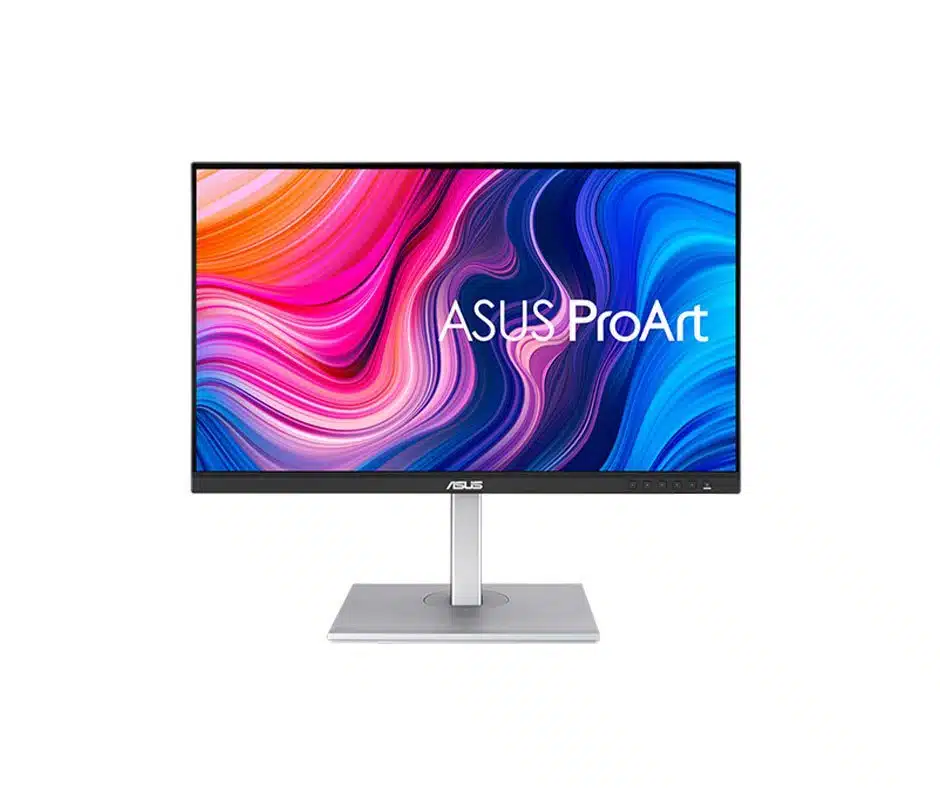
ASUS ProArt PA279CV
L'ASUS ProArt PA279CV se distingue comme un écran 4K orienté studio, étalonné en usine, offrant une fidélité colorimétrique fiable et un ensemble de fonctionnalités professionnelles destiné aux créateurs de contenu, le tout à un prix compétitif. Par rapport à Dell et BenQ, il vise le même public exigeant en matière de couleurs, mais se positionne souvent en dessous des tarifs les plus élevés tout en proposant une connectivité étendue, ce qui en fait un compromis technique et financier attractif pour les petits studios et les travailleurs indépendants.
Estimated$650 – $850
Samsung ViewFinity S8 S80PB
Le Samsung ViewFinity S8 (S80PB) est le choix de référence pour les utilisateurs qui privilégient un design marquant et des performances de contraste élevées offertes par une dalle VA 4K, associées à des fonctions de hub USB-C modernes adaptées aux espaces de travail minimalistes. Par rapport aux écrans à dalle IPS présentés ici, il offre des noirs plus profonds et un rendu plus cinématographique, même si les professionnels exigeant une précision colorimétrique absolue préféreront peut-être les modèles ASUS, BenQ ou Dell, malgré la finition haut de gamme et l'attrait lifestyle de Samsung.

Estimated$900 – $1,200
Recherche et preuves : comment la 4K améliore le travail visuel et l'expérience
Les études scientifiques et la recherche en utilisabilité montrent plusieurs bénéfices mesurables des écrans à résolution plus élevée. Des chercheurs en interaction homme-machine, ergonomie visuelle et technologie d'affichage ont constaté qu'une densité de pixels plus élevée et des gamuts de couleur plus larges peuvent améliorer la précision dans les tâches critiques d'image, réduire le temps passé à zoomer ou à faire des panoramiques, et augmenter la satisfaction des utilisateurs. Pour le multimédia et le jeu, des études sur la perception du mouvement et le HDR montrent qu'une plage dynamique plus élevée et des temps de réponse plus rapides réduisent le flou de mouvement perçu et renforcent l'immersion. La recherche ergonomique souligne aussi qu'une densité de pixels adaptée, une taille d'écran appropriée et une distance de visionnement adéquate minimisent la fatigue oculaire et les inconforts posturaux lorsque les écrans sont utilisés correctement.
Des détails plus nets accélèrent la recherche visuelle et réduisent le taux d'erreurs lors du montage photo et vidéo.
Une densité de pixels plus élevée réduit le besoin de zoomer ou de recadrer, ce qui améliore l'efficacité du flux de travail des designers et des éditeurs.
Le HDR et un gamut de couleurs plus large (par exemple une couverture DCI-P3 étendue) améliorent la discrimination des couleurs et le réalisme pour le travail créatif.
Des taux de rafraîchissement plus élevés et des temps de réponse plus rapides réduisent le flou de mouvement et la latence perçue dans les jeux rapides et la lecture vidéo.
Les études ergonomiques montrent qu'une taille d'écran, une densité de pixels et une distance de visionnement appropriées réduisent la fatigue oculaire; une calibration correcte et un éclairage ambiant adaptés aident aussi.
Les gains d'efficacité énergétique des dalles 4K modernes entraînent souvent une consommation électrique plus faible comparée aux anciens designs à forte luminosité, favorisant des bureaux plus écologiques.
Frequently Asked Questions
Which 4K monitor is best for professional productivity and multitasking?
The Dell UltraSharp U2723QE is the top choice for productivity because it features a 27-inch 4K IPS Black panel with superior contrast, a built-in KVM switch, and 90W USB-C power delivery.
What is the power delivery capacity of the ASUS ProArt PA279CV?
The ASUS ProArt PA279CV provides 65W of power delivery through its USB-C port, designed to simplify workflows for content creators.
How much does the LG 27UK850-W cost for a 4K display?
The LG 27UK850-W is priced at $757.09, offering users HDR10 support and 60W USB-C power delivery at a more accessible price point.
What is the average customer rating for the Dell UltraSharp U2723QE?
The Dell UltraSharp U2723QE holds an average rating of 4.6 out of 5 stars based on its performance and feature set.
Conclusion
Que vous soyez professionnel créatif, joueur ou travailleur à distance au Canada, les moniteurs 4K offrent une mise à niveau claire et durable. Nous espérons que cette page vous a aidé à comprendre pourquoi la 4K est un choix pertinent en 2026 et vous a orienté vers le meilleur choix pour les acheteurs canadiens. Si vous souhaitez affiner les résultats selon le budget, le type de dalle ou la connectivité, utilisez la recherche pour restreindre ou élargir vos options.