

Top 5 OLED Productivity Monitors for Creative Professionals in Canada, 2026
Maximize your efficiency with OLED Productivity Monitors, which have become increasingly popular among creative professionals in Canada. Known for their exceptional color accuracy and wide viewing angles, these monitors cater specifically to designers, video editors, and artists who require precise and vibrant visuals for their work. In 2026, the trend of using OLED monitors is on the rise, as they provide an immersive viewing experience, reduce eye strain, and elevate productivity levels by allowing users to see finer details in their work.
Inception's AI took the time to understand this market in Canada · · How we pickWe may earn a commission on purchases. It never affects our rankings.
Top Picks Summary
LG UltraFine OLED Pro Monitor (32EP950-B)
The LG UltraFine OLED Pro Monitor (32EP950-B) is a cutting-edge display that offers stunning 4K resolution and unparalleled color accuracy. It leverages OLED technology to provide deeper blacks and vibrant colors, making it perfect for professionals in photography, video editing, and graphic design. With HDR support and a wide color gamut, this monitor stands out in delivering top-tier visual performance. Its sleek design and ergonomic features further enhance the user experience.

Estimated$3,000 – $3,500
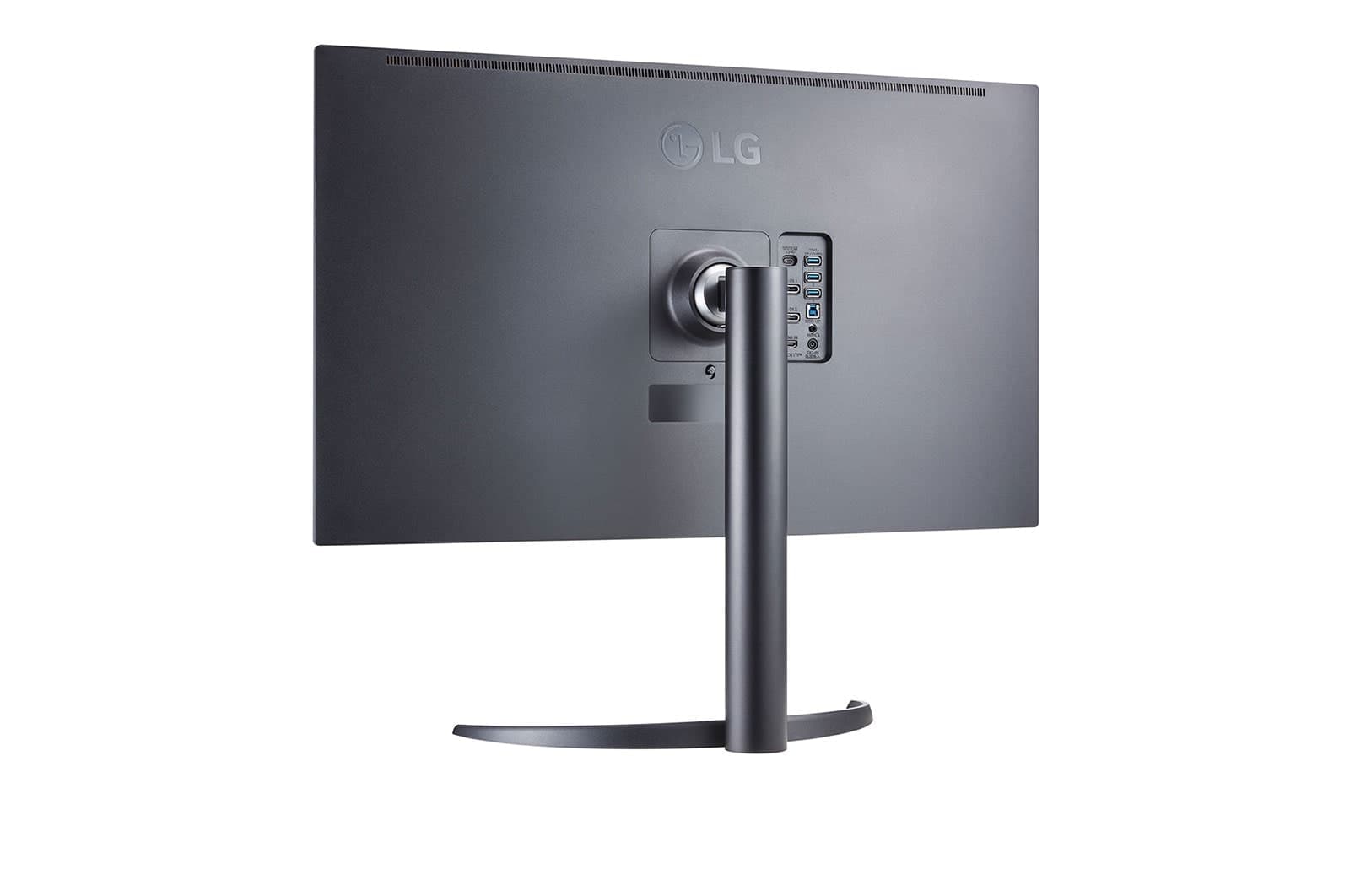
LG UltraFine OLED Pro Monitor (27EP950-B)
The LG UltraFine OLED Pro Monitor (27EP950-B) brings professional-quality visuals to a compact 27-inch form factor, ideal for creative professionals. This monitor features OLED technology for exceptional contrast and color depth, ensuring true-to-life visuals that enhance productivity. Its capabilities include HDR support, and a broad color spectrum, making it a preferred choice for those in need of precision in color grading. Its minimalist design complements any workspace enhancing both aesthetics and performance.
Estimated$2,500 – $3,000
ASUS ProArt Display OLED PA32DC
The ASUS ProArt Display OLED PA32DC is a professional-grade monitor that blends state-of-the-art OLED technology with outstanding color precision and versatility. Designed for color-critical work, it covers 99% of the Adobe RGB color space and supports HDR content, ensuring every detail is rendered with stunning clarity. This monitor features advanced calibration tools that maintain color fidelity over time, which makes it an essential tool for filmmakers and graphic designers. The ergonomic design and extensive connectivity options further elevate its usability.

Estimated$4,000 – $4,500
Samsung Odyssey OLED G8
The Samsung Odyssey OLED G8 redefines gaming with its vibrant OLED panel that offers extraordinary high refresh rates for ultra-smooth visuals. This monitor combines the immersive experience of a curved display with the exceptional contrast and color provided by OLED technology, making it ideal for gamers seeking immersion. With adaptive sync features to reduce tearing and latency, it stands out as one of the top choices for performance-driven gaming experiences. The futuristic design and smart features make it suitable for any gaming setup.

Estimated$1,500 – $2,000
Alienware AW5520QF
The Alienware AW5520QF is a giant among gaming monitors, boasting a massive 55-inch OLED display that offers breathtaking 4K resolution and vivid colors. This monitor is designed to provide gamers with an immersive experience that combines size, speed, and stunning visuals. Its fast response time and low input lag make it ideal for competitive gaming, while the OLED technology ensures rich contrast and deep blacks. Moreover, it comes protected with Alienware's distinct design aesthetic and RGB lighting, creating a centerpiece for any gaming environment.

Estimated$4,000 – $4,500
An OLED Productivity Monitor excels in its category due to its color fidelity, deep blacks, and glare reduction, enabling professionals to work more comfortably and accurately for extended periods.
Why Choose OLED Productivity Monitors?
OLED monitors have risen to the forefront of technology due to their extraordinary benefits, particularly for those in creative fields. Here's how they can enhance your workflow:
Spectacular color accuracy: OLED monitors offer true-to-life colors, allowing designers to work with the exact shades needed for their projects.
Exceptional contrast ratios: With deeper blacks and brighter whites, it's easier to notice fine details and gradients in your design work.
Wide viewing angles: Unlike traditional monitors, OLED screens maintain clarity and color integrity from different angles, ensuring a consistent viewing experience.
Reduced eye strain: The nature of OLED technology emits less blue light, making extended periods of screen time more comfortable for your eyes.
Faster response times: Ideal for video editing and motion graphics, OLED monitors have quicker pixel transitions, preventing motion blur during high-action sequences.
Energy efficient: OLED technology consumes less power compared to conventional displays under certain conditions, benefiting both the environment and your electricity bill.
Frequently Asked Questions
Which OLED productivity monitor suits photo editing best?
Choose the LG UltraFine OLED Pro Monitor (27EP950-B) if you want OLED for professional photo editing, since it’s a 27-inch 4K OLED screen with vibrant color reproduction and a 4.7 average rating.
What exact color space coverage does ASUS ProArt PA32DC offer?
The ASUS ProArt Display OLED PA32DC covers 99% of the Adobe RGB color space, and it’s a 32-inch 4K HDR OLED monitor with an average rating of 4.6.
Is LG 32EP950-B worth paying for 4K OLED?
The dataset lists the LG UltraFine OLED Pro Monitor (32EP950-B) as a 32-inch 4K OLED with exceptional color accuracy and a 4.8 average rating, but it provides no Canadian price to compare value.
Do these monitors include eye-care or calibration features?
Yes: the LG UltraFine OLED Pro Monitor (32EP950-B) includes eye-care technology, while the ASUS ProArt Display OLED PA32DC is calibrated for professional use; both are OLED productivity monitors with ratings of 4.6 and 4.6.
Conclusion
In summary, investing in an OLED productivity monitor in Canada not only boosts your creativity but also supports your health by reducing eye strain. We hope this guide helps you find the perfect monitor tailored to your needs. For more specific inquiries, feel free to use our search bar to discover tailored information.