2026's Top 7 Document Scanners in Canada: The Ultimate Productivity Boost
Published on Monday, February 2, 2026
Document scanners are designed for fast scanning of text and graphics, making them an essential tool for efficient digitization of paperwork. In today’s fast-paced office environment, the ability to quickly and accurately scan documents can significantly enhance productivity, minimize physical clutter, and streamline workflows. As Canadian businesses increasingly adopt remote work and digital solutions, the demand for quality document scanners continues to rise, reflecting the preference for tools that facilitate easy access to information and improve organizational efficiency. Whether in a corporate office, home office, or educational institution, choosing the right document scanner is crucial for maximizing workflow and achieving seamless document management.
Top Picks Summary
The Brother ADS-3100 is a high-speed document scanner known for its reliability and impressive scanning speed of up to 40 pages per minute (80 images per minute in duplex). It offers advanced features like duplex scanning, which allows both sides of a document to be captured in a single pass, making it highly efficient. The scanner supports multiple media sizes and types, making it a versatile tool for varying document management needs. With its robust build and professional-grade performance, it is perfect for businesses looking to streamline their document workflows.

The Canon imageFORMULA R10 combines portability and high productivity in a sleek, compact design, making it a standout option for mobile users. This scanner features dual-sided scanning and USB-C connectivity, allowing users to transfer files and power the device seamlessly. With its intuitive interface and advanced image processing capabilities, it offers excellent image quality while remaining user-friendly. Ideal for both home and business environments, the R10 is designed to simplify document management efficiently.

The Epson WorkForce ES-580W is designed for heavy-duty, high-volume scanning, making it an ideal choice for both businesses and home offices. This scanner features rapid two-sided scanning at speeds of 35 pages per minute, combined with excellent image quality that showcases Epson's renowned technology. Its wireless capabilities allow for easy connectivity to multiple devices and cloud services, which is a significant advantage over competitors. The ES-580W stands out with its user-friendly 4.3-inch touchscreen, making operation intuitive and efficient.

The Fujitsu ScanSnap iX1600 is an exceptional document scanner that combines high-speed scanning with a user-friendly interface. Its wireless connectivity and intuitive touchscreen allow for seamless operation in any workspace. With advanced optical character recognition (OCR) technology, it ensures precise document capture and digitization. The ScanSnap iX1600 is perfect for both personal and professional use, making it a standout option in its class.
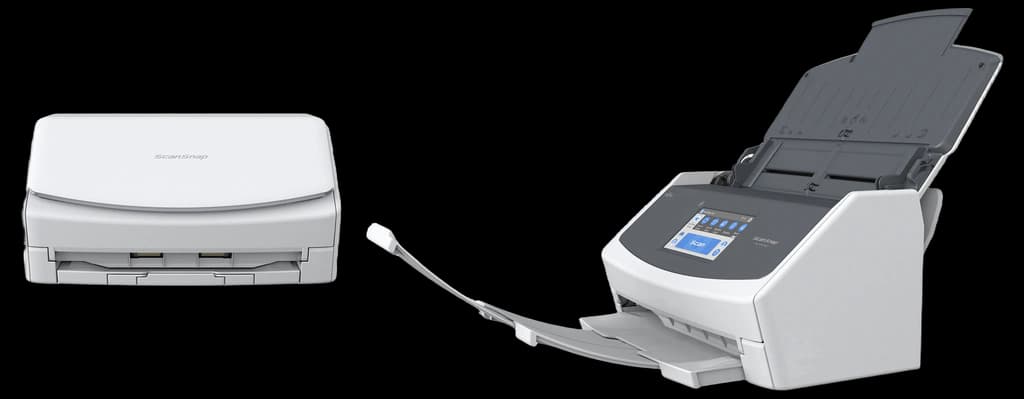
The Kodak Alaris E1035 is a high-speed document scanner that emphasizes productivity and ease of use, making it a valuable addition to any office. With a scanning speed of up to 35 pages per minute, it delivers efficient performance for both single and double-sided documents. The built-in image enhancement features ensure high-quality outputs and reduce manual adjustments. Its intuitive interface allows for quick setup and operation, catering to a wide range of users.

The Fujitsu ScanSnap S1300i is a portable document scanner that stands out for its incredible speed and versatility. It can scan both sides of a page in just one pass, making it highly efficient for busy environments. The compact design makes it easy to carry, and it supports wireless scanning directly to smartphones and tablets. With various easy-to-use features, it's perfect for both home and office use.

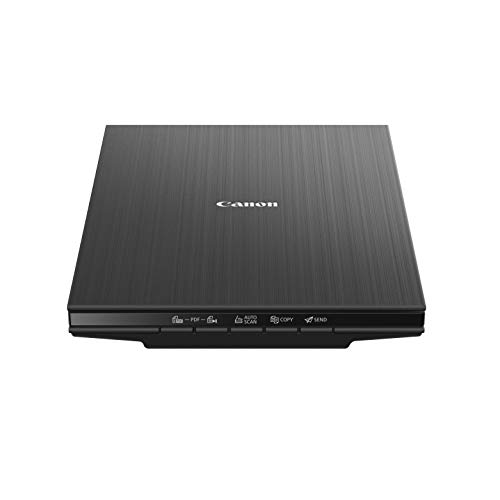
The Canon CanoScan LiDE 400 offers an exceptional scanning experience with its sleek design and advanced features. It provides a remarkable optical resolution of 4800 x 4800 dpi, ensuring crisp and clear images. The scanner is incredibly compact and energy-efficient, making it perfect for home offices or small workspaces. With a simple USB connection for both power and data, it combines convenience with quality, positioning it as a strong choice in the scanner market.
Fast and efficient document processing ensures that document scanners are crucial for streamlining workflows and preserving important documents.
Exploring the Benefits of Document Scanners
Document scanners are vital in modern workplaces for effective digitization and management of documents. Here's what to know about their advantages.
Research shows that businesses using document scanners can reduce paper usage by up to 80%, promoting a more sustainable office environment.
A study revealed that employees save an average of 30 minutes a day when using document scanners, translating to significant time savings and increased productivity.
By enabling easy sharing and collaboration on digital documents, scanners facilitate remote work flexibility, which has become increasingly critical post-2020.
Studies indicate that digital document management reduces retrieval errors by 50%, ensuring better accuracy in information handling and processing.
Implementing document scanning solutions can improve space management, freeing office space that would otherwise be taken up by filing cabinets and paper storage.
Many advanced document scanners now feature integrated OCR (Optical Character Recognition) technology, converting scanned text into editable formats, enhancing usability.
Frequently Asked Questions
Which document scanner is best for a busy small office?
The Brother ADS-3100 is a strong pick for small offices—rated 4.6, it scans up to 40 pages per minute with single-pass duplex (two-sided) scanning in a compact desktop footprint.
Does the Epson WorkForce ES-580W support wireless scanning?
Yes—the Epson WorkForce ES-580W has built-in Wi-Fi and Ethernet for network scanning, a 100-sheet automatic document feeder, 35 ppm duplex scanning and a 4.3-inch touchscreen. It is rated 4.6.
Which scanner is the most portable for travel?
The Canon imageFORMULA R10 is built for mobility—it is USB-powered with a single cable for both data and power (no separate adapter), does duplex scanning, and is compact enough for a bag. It is rated 4.3.
Which scanner offers a touchscreen for PC-free scanning?
The Fujitsu ScanSnap iX1600 features a 4.3-inch colour touchscreen and Wi-Fi so you can scan without a computer, at up to 40 pages per minute. It is the top-rated model here at 4.7.
Conclusion
In summary, document scanners are indispensable tools for maximizing efficiency and enabling effective document management in Canada. With increasing demand for digitization, it's essential to choose the right model for your needs. We hope this guide helps you find the perfect document scanner for your requirements. If you're looking for more specific information, feel free to utilize our search bar for additional insights.